
Canon
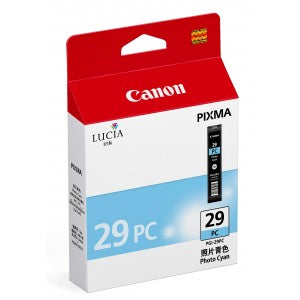
Canon 4876B002 PGI-29PC Photo Cyan Ink Tank for PIXMA PRO-1
Canon 4876B002 PGI-29PC Photo Cyan Ink Tank for PIXMA PRO-1
SKU: 4876B002
- Regular price
- Price: $50.99
- Regular price
- List Price:
- Sale price
- Price: $50.99
- Unit price
- per
Couldn't load pickup availability
Out of stock
 PRODUCT DESCRIPTION
Canon 4876B002 PGI-29PC Photo Cyan Ink Tank for PIXMA PRO-1
Overview
The Canon 4876B002 (PGI-29PC) is a genuine OEM LUCIA pigment photo cyan ink tank engineered for the Canon PIXMA PRO-1 professional photo printer. It delivers professional-quality photo prints with superior longevity, rated at approximately 400 A3+ photos. Canon's FINE (Full Photolithographic Inkjet Nozzle Engineering) technology ensures exceptional sharpness and detail, with photo cyan enhancing colour gradations and skin tones. It fits the Canon PIXMA PRO-1 printer.
Key Features
- Genuine Canon OEM: Manufactured to Canon's exact specifications for consistent professional photo quality
- LUCIA Pigment Ink: Specially formulated photo cyan pigment ink for professional photo prints and superior archival longevity
- ~400 A3+ Photos: Rated at approximately 400 photos in A3+ size
- FINE Technology: Full Photolithographic Inkjet Nozzle Engineering delivers exceptional sharpness and detail
- Enhanced Colour Gradations: Photo cyan improves tonal transitions and skin tone accuracy in photo printing
- Individual Ink System: Replace only the colour that runs out, reducing waste and saving money
- Printer Warranty Protection: Genuine Canon ink maintains your printer's warranty coverage
Specifications
- SKU / MPN: 4876B002
- Cartridge Series: PGI-29PC
- Colour: Photo Cyan
- Ink System: LUCIA pigment
- Ink Type: Pigment-based
- Photo Yield: ~400 A3+ photos
- Print Technology: Inkjet (FINE)
- Pack Quantity: 1 tank
- Brand: Canon
- Weight: 0.21 lbs
Compatibility
The Canon 4876B002 PGI-29PC is compatible with the following Canon PIXMA printer:
- Canon PIXMA PRO-1
Frequently Asked Questions
- What printers does the 4876B002 work with? — The Canon PGI-29PC is designed exclusively for the Canon PIXMA PRO-1 professional photo printer.
- How many pages does the 4876B002 print? — It is rated at approximately 400 photos in A3+ size.
- Is the 4876B002 a genuine Canon cartridge? — Yes. The 4876B002 is an authentic Canon OEM LUCIA pigment ink tank, manufactured by Canon to original specifications.
Why Choose the Canon 4876B002?
As a genuine Canon original LUCIA pigment ink tank, the PGI-29PC delivers the smooth colour gradations and accurate skin tones that Canon PIXMA PRO-1 professional photographers depend on. FINE technology ensures exceptional sharpness and detail, while the individual ink system reduces waste and lowers cost per print. Available at ParNet, Canada's trusted source for genuine printer consumables.
